
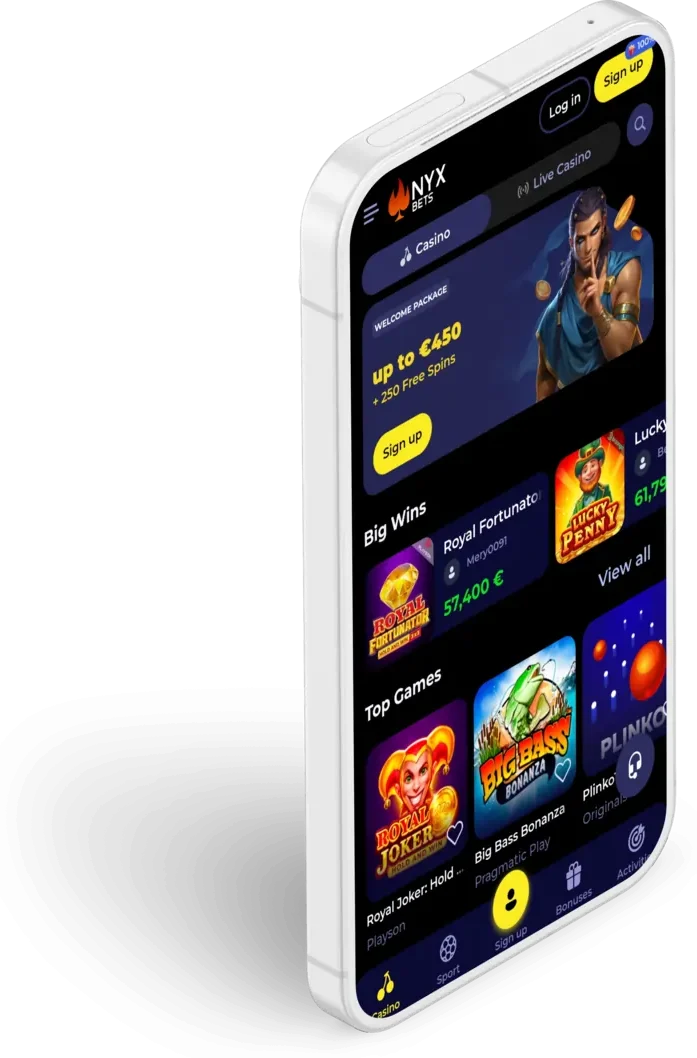
How to download our app
- 1Open the official Nyxbets website in the browser on your phone or tablet.
- 2Go to the app download section.
- 3Choose your device: iOS or Android.
- 4Follow the installation instructions on screen.
Our app is not listed in the App Store or Google Play Store. Always download it directly from our official website so you know you are installing the genuine app.
Benefits of the app
- Access slots, table games and live casino anywhere
- Performance optimised specifically for mobile use
- Secure payments with fast deposits and withdrawals
- Exclusive in-app bonuses such as free spins and special offers
- Multilingual support so you play in your own language
Key features
- A clear interface that opens your favourites instantly
- Push notifications about new promotions and bonuses
- Personal settings with favourites and game history
- Customer support through live chat and email, around the clock
System requirements
iOS
- Version 12.0 or higher
Android
- Version 8.0 or higher
Storage
- At least 100 MB of free memory
| Item | Requirement |
|---|---|
| iOS | Version 12.0 or higher |
| Android | Version 8.0 or higher |
| Storage | At least 100 MB of free memory |
Responsible gaming in the app
Our app includes the same responsible gaming tools as the website: deposit limits, reality checks and self-exclusion. That keeps you in control and keeps play a form of entertainment.

Dragons Bonanza
Belatra
Play now
Zeus Titan Fury
Mascot Gaming
Play now
88 Riches
GameArt
Play now
Royal Beellion Hold and Win
BGaming
Play now
Dragons Call
TrueLab
Play now
3x3 Grand Crown Hold the Spin
Gamzix
Play now
Mega Greatest Catch Blue Marlin
Evoplay
Play now
Emperors Wealth
GameArt
Play now
Why we ask you to install directly from our website
Major app stores generally restrict real money casino apps from their listings, so a direct install through your mobile browser is the standard route for this type of app across the industry, not a workaround specific to us. Installing directly from our official website means the file always matches what we currently support, and it avoids the risk of installing a copycat app from an unofficial source. Always check that the web address in your browser matches our official domain before you start the download.
Installing on Android
- 1Open our website in Chrome or another supported Android browser.
- 2Go to the app download section and tap the Android download option.
- 3If prompted, allow installation from this source in your device settings.
- 4Open the downloaded file and follow the on-screen installation steps.
- 5Launch the app from your home screen and log in with your existing account.
Installing on iOS
- 1Open our website in Safari on your iPhone or iPad.
- 2Go to the app download section and follow the iOS installation instructions.
- 3Confirm the installation when prompted by your device.
- 4Trust the developer profile in your device settings if required.
- 5Open the app icon from your home screen and log in with your existing account.
App versus mobile browser: what changes
Both routes give you access to the same game library, the same bonuses and the same account, so the choice comes down to convenience rather than features. The app keeps you signed in between sessions, loads directly from a home screen icon and can send push notifications, while the mobile browser needs no installation at all and updates automatically whenever we update the site. If storage space is limited on your device or you prefer not to install anything, the mobile browser gives you the same functionality.
Installation
- App
- Direct download from our website
- Mobile browser
- None required
Storage needed
- App
- At least 100 MB
- Mobile browser
- None
Push notifications
- App
- Yes
- Mobile browser
- No
Access to games and bonuses
- App
- Full library
- Mobile browser
- Full library
Updates
- App
- Downloaded when available
- Mobile browser
- Automatic
| Aspect | App | Mobile browser |
|---|---|---|
| Installation | Direct download from our website | None required |
| Storage needed | At least 100 MB | None |
| Push notifications | Yes | No |
| Access to games and bonuses | Full library | Full library |
| Updates | Downloaded when available | Automatic |
Keeping the app updated
Because the app sits outside the standard app store update mechanism, we notify you inside the app or on our website when a new version is available. Installing updates promptly keeps performance, security and compatibility with the latest games in line with the desktop version of our platform. If a game does not load correctly, checking that you are on the latest app version is a useful first step before contacting support.
Troubleshooting common app issues
- App will not install: confirm your device meets the minimum iOS or Android version and has enough free storage.
- Games load slowly: check your internet connection and close other apps running in the background.
- Login problems: confirm your password and check whether you are using the same login method as on desktop.
- Missing notifications: check that notification permissions are enabled for the app in your device settings.
- Persistent issues: contact support through live chat or email with a short description of the problem and your device model.
What you can do in the app
The app mirrors the desktop and mobile browser experience, so every slot, live table, instant win game and payment method you use on the website is also available from the app menu. Navigation is organised around the same categories you already know: casino, bonuses, VIP progress, deposits and support, arranged for smaller screens with larger touch targets and simplified menus.
- Browse the full slot and live casino library from a single home screen.
- Track your VIP progress and current level without switching to a browser.
- Manage deposit limits and other responsible gaming tools from your profile.
- Receive push notifications for time-limited promotions and tournament updates.
- Contact support through the same live chat used on the website.
Data usage and connectivity
Because slots and live tables stream graphics and, in the case of live dealer games, video, using a stable Wi-Fi connection generally gives smoother performance than a mobile data connection, particularly for live casino streams. If you play on mobile data, be aware that longer live casino sessions use noticeably more data than spinning a standard slot, so checking your data plan before a long live session can help you avoid unexpected usage.
Battery and performance tips
- Close other resource-heavy apps running in the background before a long session.
- Lower your screen brightness to extend battery life during extended play.
- Keep your device's operating system updated for the best compatibility.
- Restart the app if a game loads slowly or a screen fails to refresh.
- Clear temporary app data if performance degrades after extended use.
Notifications and how to manage them
Push notifications can alert you to new promotions, tournament results or account updates, but they are entirely optional and can be adjusted or turned off at any time through your device's notification settings for the app. If you prefer a quieter experience, you can disable promotional notifications while keeping account-related alerts active, or turn off notifications entirely and check the promotions section manually instead.
Security features specific to the app
The app uses the same encrypted connection and account protections as the website, so logging in, depositing and withdrawing carry the same level of security regardless of which platform you use. Because the app is installed directly on your device, it is worth applying the same basic precautions you would use for any financial app: set a device passcode, avoid installing it on shared or public devices, and log out fully when you finish a session on a device you do not control.
Uninstalling the app
If you decide to remove the app, you can do so through your device's standard app management settings, the same way you would remove any other installed application. Uninstalling the app does not affect your account, balance or history, since all of that information is stored on our servers rather than on your device. You can always reinstall the app later from our website and continue with the same account.
Frequently asked questions about the app
Is the Nyxbets app in the App Store?
No. You install our app directly from our official website using Safari, Chrome or Firefox.
Does the app work on iOS and Android?
Yes. It supports iOS 12.0 or higher and Android 8.0 or higher, and needs at least 100 MB of free storage.
Can I play without the app?
Yes. The mobile website offers the same features as the desktop version and works in every modern browser.
Are there app-only bonuses?
We run exclusive in-app offers such as free spins. Check the terms of each offer in the promotions section.
Why can't I find the app in the App Store or Google Play?
Real money casino apps are generally not permitted in major app store listings, which is why we, like most online casinos, distribute the app directly through our own website instead.
Is it safe to install an app from outside an app store?
It is safe as long as you download it from our official website, since that is the only source we control and update. Always check the web address before downloading, and avoid installing the app from any third-party link.
Do I need a new account for the app?
No. The app uses the same account as our website, so you can log in with your existing details and continue where you left off on either platform.
How do I update the app once it is installed?
We notify you inside the app or on our website when an update is available. Download and install the new version the same way you installed the app initially.


'%3e%3c/path%3e%3c/svg%3e)
